A first Fansbuy order in seven stages, account to doorstep signature
The official video first, then each stage with the screen it happens on and the rule behind it. Already partway through? Jump to the pick-up point finder.
Start with the official tutorial
Fansbuy keeps a short tutorial video on its own file storage and still wires it into the site code. It runs two and a half minutes, covers registration, finding a product, submitting the order, picking items from the warehouse, submitting shipping and the final delivery, and uses the older yellow and blue Fansbuy logo. The screens have since been restyled in red and charcoal, but the buttons are where the video says they are.
Watch it once, then use the seven sections below as the written version, with the official rules each step depends on.
Stage 1: an account with one tick box
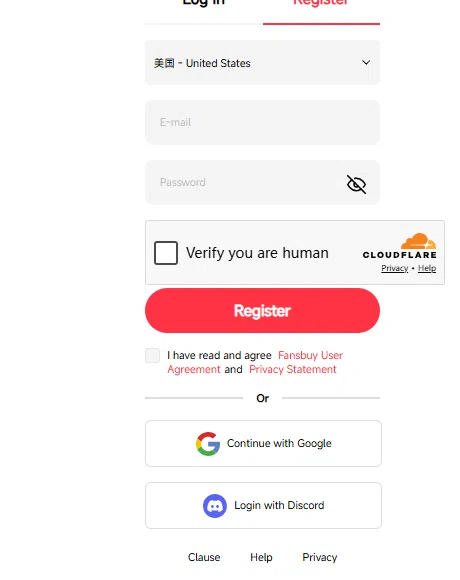
Registration asks for a country, an e-mail address and a password, then a human check and one tick box: you agree to the Fansbuy User Agreement and Privacy Statement. Those two links open the Terms of Service and the privacy policy. Google and Discord logins are offered underneath if you prefer them.
Before ordering, set the interface language and the display currency in the header. Prices on product pages then appear converted, although Fansbuy still pays the seller in yuan.
Registering costs nothing; the first charge comes with your first order. Once logged in, the Personal Centre menu on the left of the account pages holds everything later stages need: My orders, Packing center, My Packages, My Assets for your balance, and Account Settings.
Stage 2: three routes into a Fansbuy listing
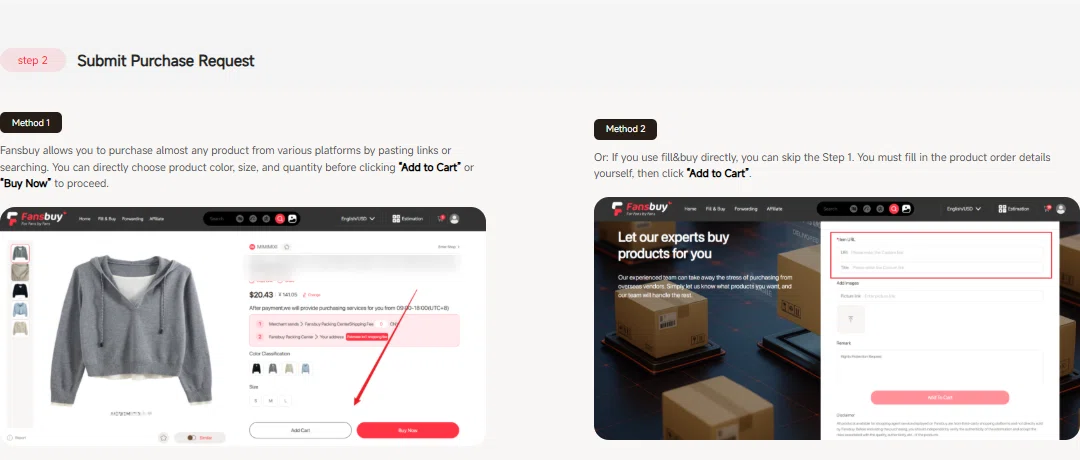
You can drop a Taobao, 1688 or Weidian product address into the Fansbuy search bar, type keywords and let Fansbuy pull matching listings, or browse a shelf in the catalog and carry a link over. All three end on a Fansbuy product page that mirrors the seller’s listing, where you pick colour, size and quantity.
For anything the search cannot read, the Fill&Buy form lets you type the product details yourself. The official beginner guide shows both routes side by side, as in the capture below.
Stage 3: the order, the price and the clock
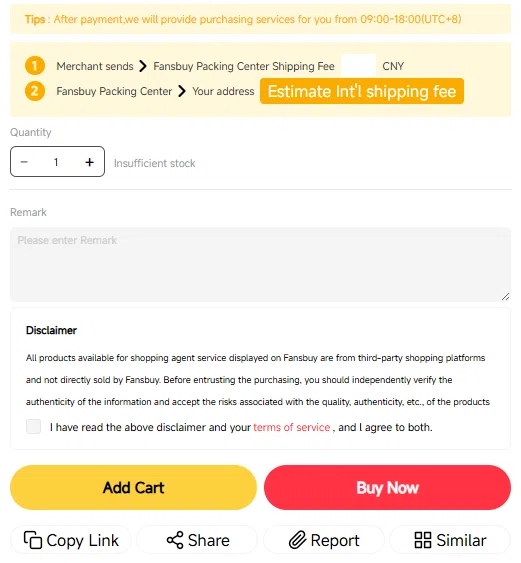
On the product page, the yellow box spells out the two legs of delivery: seller to the Fansbuy packing centre, priced in yuan, and packing centre to your address, which you estimate later. A remark field lets you write notes to the buyer, and a disclaimer tick box confirms that the item comes from a third-party seller.
Buy Now takes one item straight to the Confirm order screen; Add Cart lets you collect items from several shops and pay once. Either way, the seller delivery fee is charged per shop, so three items from one shop usually cost less to bring in than three from three shops.
After payment, Fansbuy says orders are processed within 24 hours, and its purchasing staff work 09:00 to 18:00 China time. An order paid at night in Europe or America is usually picked up the next China morning.
Stage 4: the warehouse weighs, photographs and stores
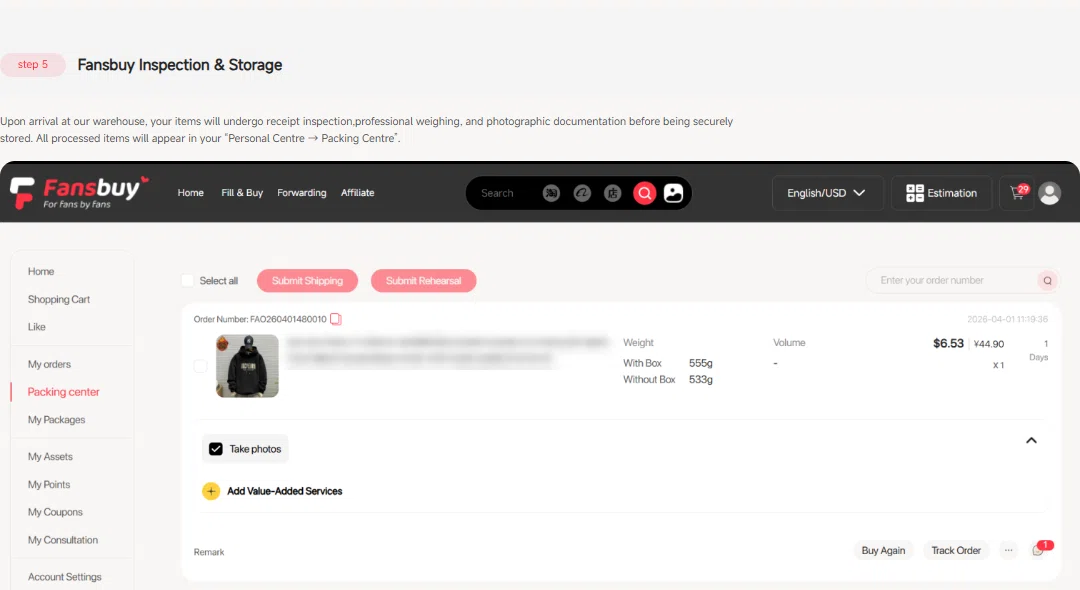
When the seller’s parcel reaches Fansbuy, staff check it against your order, weigh it with and without the box, and upload inspection photos. The item then appears in Personal Centre under Packing Centre, with its weight and the number of days it has been stored.
Look at the photos before you do anything else. Colour, size label, count and visible damage are all checkable here, and problems are far easier to raise while the item is still in China. Storage runs 90 days from the moment the status reads In warehouse.
Stage 5: choosing what travels together
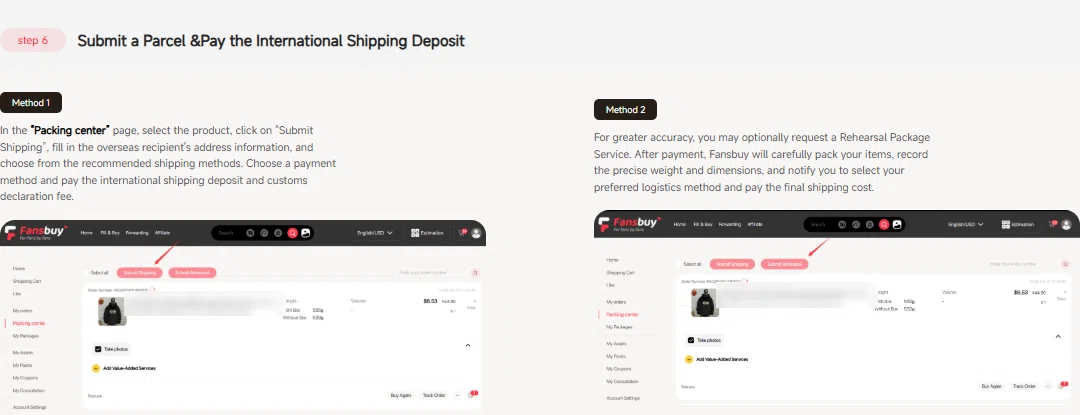
In Packing Centre you tick the items that should travel in one parcel and press Submit Shipping. Fansbuy then asks for the delivery address, shows the shipping methods offered for that destination and weight, and lets you add packing wishes. Combining several items in one parcel usually costs less than sending them one by one, because each parcel pays its own first-weight charge.
If you want the exact weight before choosing a method, the guide’s second route, Submit Rehearsal, packs the parcel first and then asks you to pick the line and pay.
Stage 6: the freight deposit and how it settles
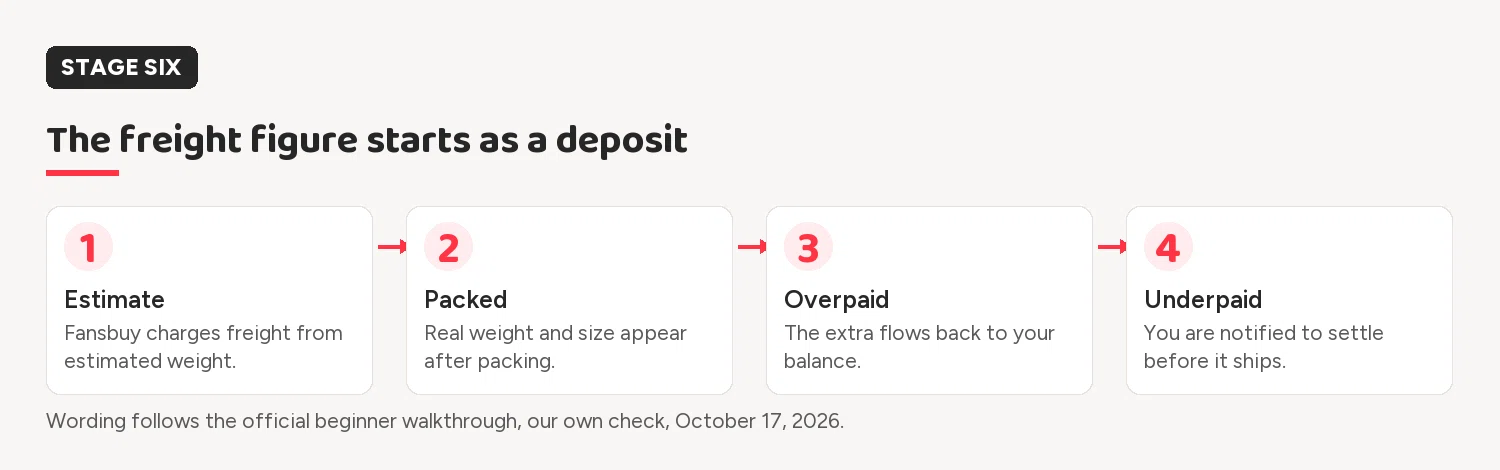
Fansbuy charges international freight from the estimated parcel weight when you submit. That figure is a deposit. Packing and weighing then reveal the true cost: an oversized deposit is trimmed and the remainder lands in your Fansbuy balance by itself, while an undersized one brings a notice asking for the rest before the parcel ships.
Bulky items are where the estimate moves most, because many lines charge by volume as well as weight. A rehearsal pack, or the Preview Package service at 15 yuan per parcel, shows the real figure before you commit.
Stage 7: tracking, signing and the short deadlines
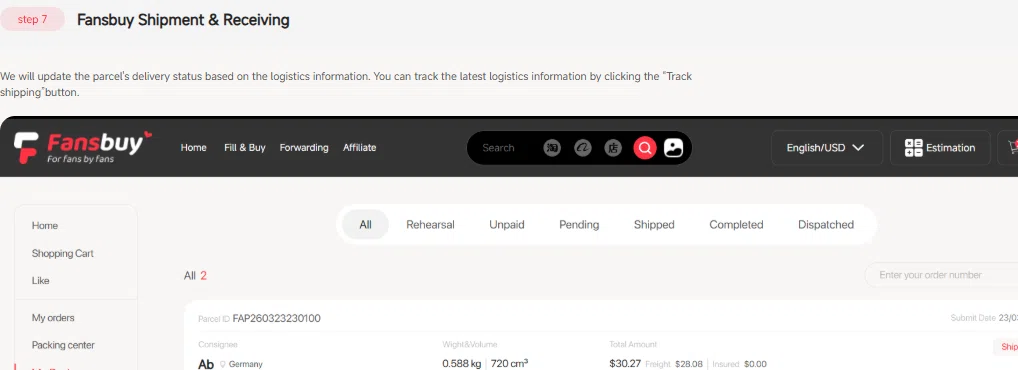
Once shipped, the parcel moves through the tabs in My Packages and the Track shipping button shows the carrier’s updates. When it arrives, check the outer box before signing, and open it in front of the courier if you can.
The deadlines afterwards are short. Fansbuy asks you to report problems to its support within 72 hours of signing; damage you did not spot at the door goes to the local post office within two days. Insured parcels have a three-day window for shortage or damage claims and need an unedited unboxing video.
The pick-up point finder
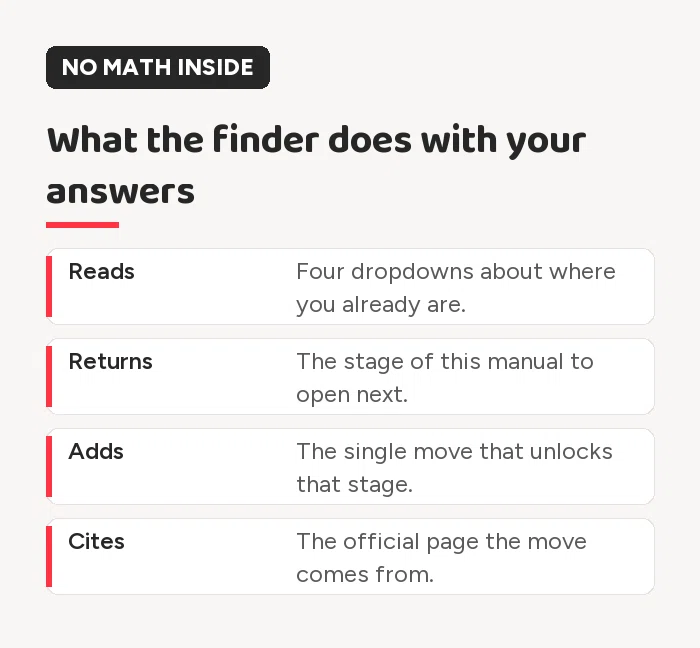
Answer four questions about where you are with Fansbuy. The finder names the stage of this manual to open next, the first move to make there, and the Fansbuy page that move is based on. Nothing you choose leaves this page.
Running the stage finder, and its blind spots
Answer for the furthest point you have reached. If you have a paid order and also a delivered parcel from an earlier haul, choose the delivered parcel: the finder always sends you to the latest stage your answers show, because that is where the next deadline is.
The balance question only changes the advice at stages three and four, where people often think they must top up before paying. They do not: the checkout takes cards and other methods directly.
The finder does not estimate prices, convert currencies, decode every order status, or tell you whether to buy something. Those questions belong to the stage pages. If an answer looks wrong for your situation, use the route strip at the top of this page and read the stage before and after the one it gave you.