Checkout to purchase: what happens to a Fansbuy order in its first days
Stage three is where money first moves. Read the bill on the Confirm order screen, then know which status needs an answer from you.
The Confirm order screen, line by line
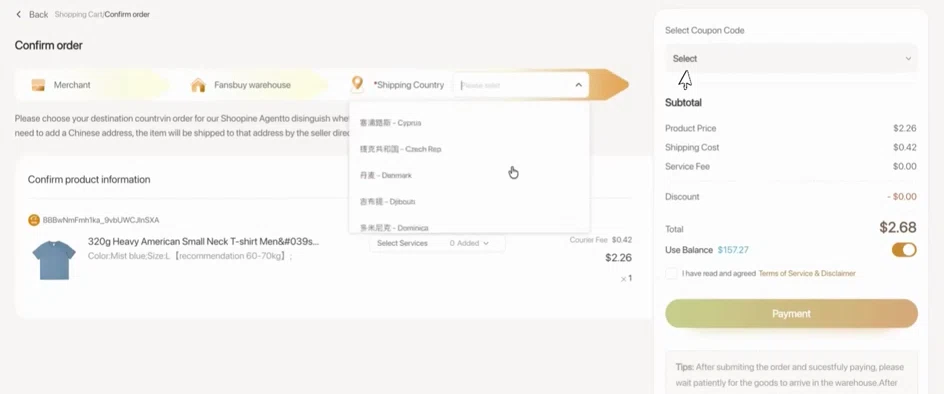
From the product page you either press Buy Now, which goes straight to checkout, or Add Cart, which lets you collect several items and pay for them together. Either way you land on Confirm order. Across the top runs the delivery chain: Merchant, then Fansbuy warehouse, then your shipping country, which you pick from a list here.
The right-hand panel adds up the bill: product price, the seller’s shipping cost inside China, a service fee line, any coupon discount and the total. A Use Balance switch decides whether your Fansbuy balance pays first. Below sits the tick box for the Terms of Service & Disclaimer, and on the current site a second one for the small-amount authorization, an optional permission for minor balance deductions that the help centre describes in its own article.
Read the delivery cost line before paying. Some sellers charge nothing to reach the warehouse, others charge more than the item.
Two smaller controls sit on the same screen. A Select Coupon Code menu at the top of the right-hand panel applies any coupon your account holds, and each product line has a Select Services menu for paid extras attached to that item. Neither is required; both change the total, so check it again after touching them.
What the clock does after you pay
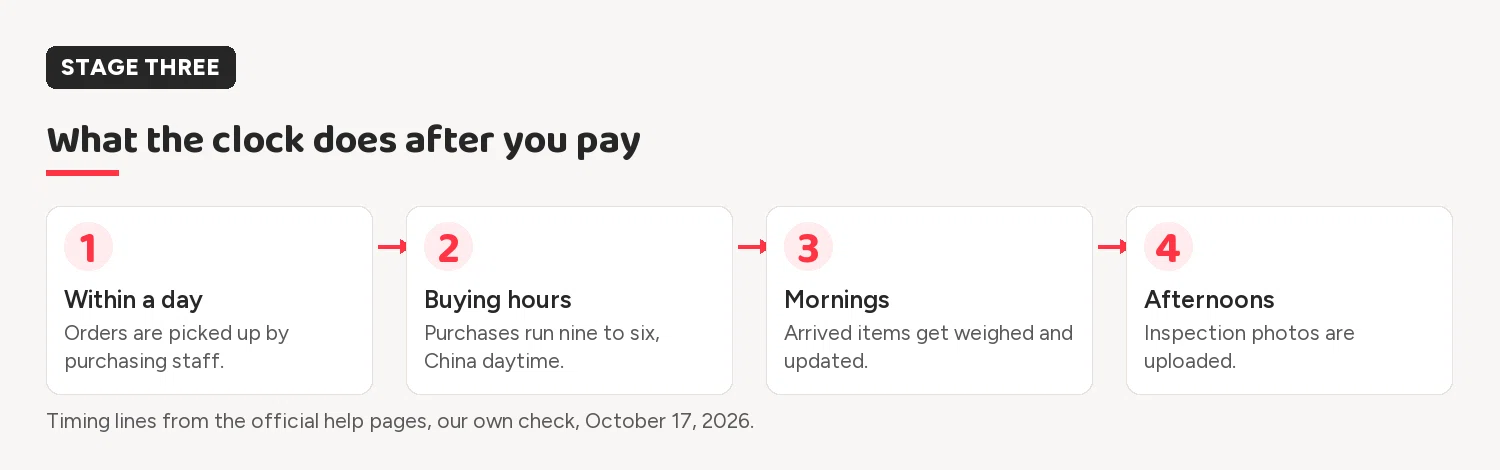
Fansbuy says orders are processed within 24 hours of submission. Its purchasing staff buy between 09:00 and 18:00 China time, which the product page states in a yellow tip, so an order paid late in the China evening waits for the next working morning.
Once the seller ships, the parcel usually takes a few days inside China to reach the warehouse. Fansbuy weighs and updates arrived items in the morning and uploads inspection photos in the afternoon, so news about one order often arrives in two pieces on the same day.
Order statuses, translated into plain words
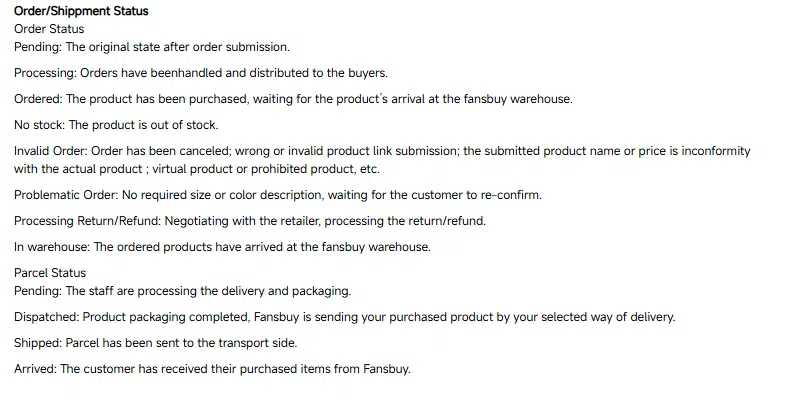
Each order shows one status at a time. Fansbuy’s Order/Shipment Status article defines them on a single page:
- Pending: submitted, not yet handled.
- Processing: passed to a buyer on the purchasing team.
- Ordered: bought from the seller, on its way to the warehouse.
- In warehouse: arrived; storage days start counting here.
- Problematic Order: Fansbuy needs a size or colour confirmed by you.
- No stock and Invalid Order: the seller cannot supply it, or the link, name or price did not match a real product.
Problematic Order is the one that costs time, because nothing moves until you answer.
Changing size or colour, and items that run out
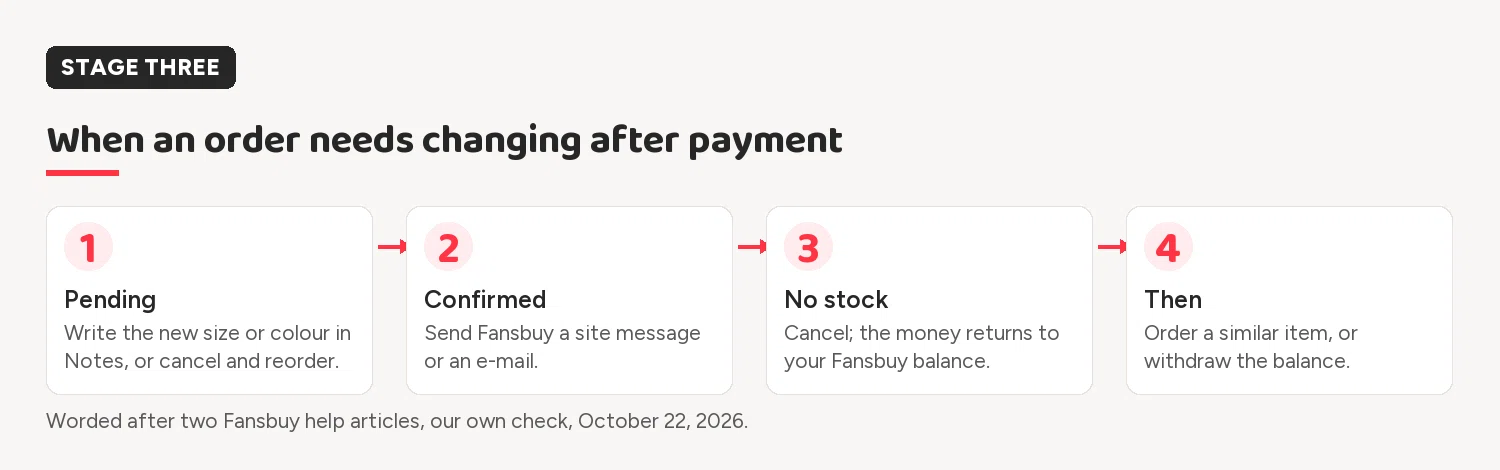
If you picked the wrong size or colour, what you can do depends on the status. While the order is still Pending, add the change in the Notes field or cancel and place a new order. Once it is confirmed, send Fansbuy a message or an e-mail. Fansbuy also says it contacts buyers itself when the notes leave something unclear.
When a seller runs out, the purchasing team writes a note on the order. Cancelling it sends the payment back to your Fansbuy balance rather than your card. From there you can order a similar item, or withdraw the money, which the Money page covers.
Bank-transfer top-ups made on a Sunday or public holiday are credited by hand on the next working day, according to the help centre. If you are topping up to replace an out-of-stock item, plan around that.